The Web Development Challenge in 2026: How to Capture User Attention (and Keep It)
Introduction (Intro)
In 2026, “attention” isn’t a UX cliché—it’s a business resource. Users decide faster, arrive from more channels, and often get the information directly in the search results or an AI answer. That means your website has to do two things at once:
- deliver an instantly understandable value proposition,
- guide the user to the next step without noise.
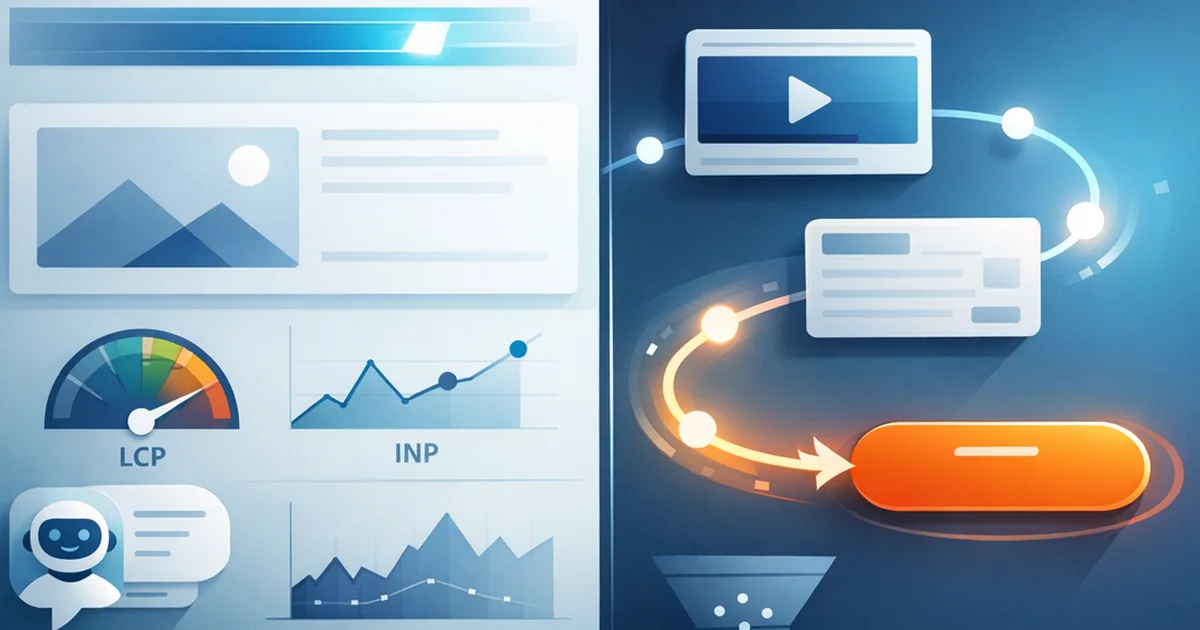
From a web development perspective, the challenge isn’t just “make it fast”: in 2026, attention retention is the result of a full experience system—performance, information architecture, interactions, trust, personalization, and how your content shows up in AI systems.
If you want to approach this from the search and AI ecosystem angle, it’s worth understanding what AI SEO is and how it reshapes visibility and the competition for clicks.
1) The new reality of attention in 2026: less patience, more alternatives
1.1. The impact of “zero-click” and AI Overviews on websites
More and more users get answers without clicking—from SERP snippets, AI summaries, and social platforms. Because of that, your website’s job often isn’t to “explain everything,” but to:
- confirm: it’s worth continuing with you (trust + relevance),
- accelerate: the decision (good information structure + clear CTA),
- convert: through micro-steps (e.g., calculator, demo, request a quote, chat).
It’s worth understanding this more deeply: in Zero-click searches and AI Overviews – How to keep conversions? you’ll find concrete strategies for how to redesign your funnel in this environment.
1.2. Attention metrics: what to track in 2026
Classic metrics (pageviews, bounce rate) can be misleading on their own. In 2026, measure attention by combining:
- Engaged sessions / engagement time (GA4)
- Scroll depth + section-level engagement (e.g., 25/50/75%)
- Interaction rate (clicks, filters, on-site search, video, FAQ opens)
- Task completion (e.g., request a quote, booking, reaching cart)
- Return rate (returning within 7/30 days)
If you’re getting traffic from AI-driven search, you’ll need different KPIs to measure success; a solid framework is How to measure AI SEO success? (KPIs in a zero-click world).
2) Performance and stability: the technical foundation of attention retention
In 2026, performance isn’t “nice to have.” A slow, janky, late-responding UI burns attention.
2.1. Core Web Vitals thinking: optimize for experience, not a score
The goal isn’t 100/100—it’s consistently feeling good:
- LCP: the main content should appear fast (hero image, main headline, primary product)
- INP: the page should respond immediately (menu, buttons, forms)
- CLS: the layout shouldn’t jump (late-loading images, fonts, banners)
Practical tips for developers:
- images: AVIF/WebP + correct sizing +
width/height - fonts:
font-display: swap+ subset + preconnect - JS: less, later, smarter (code splitting, hydration control)
- 3rd party: audit and cut back (tag manager discipline)
2.2. Perceived performance: what the user feels matters more
For attention, what often matters is whether something happens immediately:
- skeleton UI, progress indicators
- optimistic UI (e.g., add-to-cart with instant feedback)
- preloading (prefetch) the next likely step
2.3. Reliability and error handling: the hidden attention killer
Errors don’t just kill conversions—they kill trust:
- real-time form validation with clear error messages
- saved state (draft) for longer flows
- strong empty states: what should the user do next?
3) UX and information architecture: make it clear in 5 seconds that “I’m in the right place”
3.1. Above the fold: value proposition + next step
In 2026, the hero section’s job is to communicate:
- who it’s for (segmented message)
- what it delivers (specific outcome)
- what the next step is (CTA)
Avoid vague slogans. Users don’t want an “experience”—they want a solution.
3.2. Navigation and content scannability
Keeping attention = making scanning easy:
- short paragraphs, informative subheads
- sticky table of contents on long pages
- comparison tables, decision-support blocks
- visual hierarchy: one primary message per screen
3.3. Microinteractions: small but critical details
Good microinteractions reduce cognitive load:
- button states (hover, loading, success)
- form input helpers (e.g., password strength)
- feedback for every action within 100–300 ms
4) AI experiences on the website: more help, less noise
In 2026, users expect the site to “help,” not just inform. AI is useful here when it shortens a task.
4.1. Website-integrated chatbot: when does it actually increase attention?
A well-built AI chat isn’t decoration—it’s interactive navigation and a sales assistant:
- recommends from your content (not just answers)
- qualifies (asks questions, narrows down)
- directs (provides CTAs: booking, quote, demo)
For a practical approach, see: Website-integrated AI chatbots: how they generate more leads and more sales (not more noise).
4.2. Personalization: the line between “creepy” and “useful”
Useful personalization in 2026:
- industry/role-based entry points (e.g., “if you’re a marketing lead, start here”)
- recommended next content based on prior behavior
- automatic but overridable location and language handling
Avoid:
- overly aggressive pop-up spam
- inexplicable recommendations
- data collection without delivering value
4.3. AEO/GEO mindset: write and structure so AI can “understand” it
This is where web development and content meet: structured content + schema + clean entities help your pages get pulled into AI answers.
Related framework: What is Generative Engine Optimization (GEO)? and for the technical foundation: Schema markup guide: why it’s essential in AI SEO.
5) Trust, security, E-E-A-T: the “invisible” engine of attention retention
Users will keep their attention when they feel safe and confident they’re in the right place.
5.1. Trust elements that actually work
- real customer testimonials (name, company, context)
- case studies with numbers (before/after)
- pricing—or at least pricing logic (transparency)
- guarantee, SLA, process description
- clearly listed authors and experts (not “anonymous” content)
This mindset matters in AI-driven environments too: AI and E-E-A-T: How to strengthen expertise and trust in AI SEO.
5.2. Privacy and consent UX
A consent banner can kill conversions if it’s done poorly:
- keep it short, clear, and don’t break focus
- ask for the minimum needed for measurement
- handle tags properly (don’t load everything before consent)
Conclusion
In 2026, user attention isn’t captured by a single trick—it’s earned by a disciplined system: a fast and stable site, a crystal-clear value proposition, scannable content, useful AI support, and trust-building details.
The web development challenge is therefore really a product and business challenge: every component (design, front-end, content, measurement, AI) has to serve the same goal—helping the user reach the state of “I get it → I trust it → I’ll take action” faster.
FAQ
What’s the fastest way to improve attention retention on a website?
In general, the biggest quick wins are: (1) clarifying the hero section (who it’s for, what it delivers, CTA), (2) performance improvements on the highest-traffic landing pages (LCP/INP), and (3) simplifying navigation and making the next step unmistakably clear.
In 2026, does website speed still matter if answers come from AI anyway?
Yes. For one, users who do click are even less patient (they’re already “pre-informed”). For another, a slow site hurts conversions and trust. Speed isn’t just SEO—it’s UX and revenue.
Is it worth adding an AI chatbot to a website?
It’s worth it if it solves a specific task: recommends content/products, qualifies, books appointments, or reduces customer support load. If it’s just “generic chatting,” it can easily create noise and erode trust.
What content structure helps keep attention?
What works best: strong subheads, short blocks, decision-support elements (tables, steps, checklists), and clear CTAs. For long articles, a table of contents and sticky navigation help a lot.
How do I know whether the changes actually improved attention?
Track engaged time, scroll depth, interactions (clicks, search, FAQ opens), and task completion (e.g., lead, cart, booking). You can draw reliable conclusions with A/B testing—or at least before/after comparisons (accounting for seasonal effects).
Enjoyed this article?
Don't miss the latest AI SEO strategies. Check out our services!